
Svedberga Plantskola AB · Garden & plant retail · Sweden · Shopify · Custom apps · nShift
One console for vendors, pricing and shipping at Svedberga Plantskola
A six-year partnership that turned a multi-vendor garden retailer into a connected operation: live vendor API sync, automated competitor price monitoring, and one app that runs orders, vendors and shipping end to end.
- 5–6 yrs
- Continuous partnership
- Multi-vendor
- Live API product sync
- 1 click
- Order to labelled shipment
- nShift
- DHL, DSV, DB Schenker + more
The challenge
Svedberga sells a deep, seasonal catalogue sourced from many different suppliers. Each vendor had its own product data, its own price list, its own stock reality and its own way of receiving orders — some by API, some by email, some by PDF.
That left the team carrying the operation by hand:
- Prices and stock drifted out of sync between vendors and the stores, so the shop sold items that were unavailable or priced below margin.
- Competitor pricing was checked manually, item by item, which meant it was mostly not checked at all.
- Orders were split and forwarded to the right supplier by a person reading a screen and writing an email.
- Shipping was booked in a separate carrier system, then labels were printed, then someone tried to remember which orders had already been handled.
- Nobody had a single view of what was sent, what failed, what was unfulfilled and what was ready to ship.
The brand was healthy. The back office was the ceiling.
What we built
We have worked with Svedberga for five to six years, first on brand maintenance, social media and strategic development, and then on the systems underneath the shop. The work is delivered continuously — hourly and monthly — rather than as a one-off project.
1. Vendor API layer
We mapped every supplier and connected them to Svedberga's stores through a managed integration layer. Products, prices, stock levels and product details stay in sync in both directions, per vendor, with each vendor's data segregated so one supplier's feed can never corrupt another's.
2. Competitor price monitoring app
A custom app tracks competitor prices on matching products, compares them to Svedberga's own price, and proposes a new price — a set percentage below the competitor, whether that means moving up or down. Nothing changes automatically: the admin reviews the proposals and approves, then the app pushes the updates across the catalogue in bulk.
3. The operations app
One internal application now runs the daily operation:
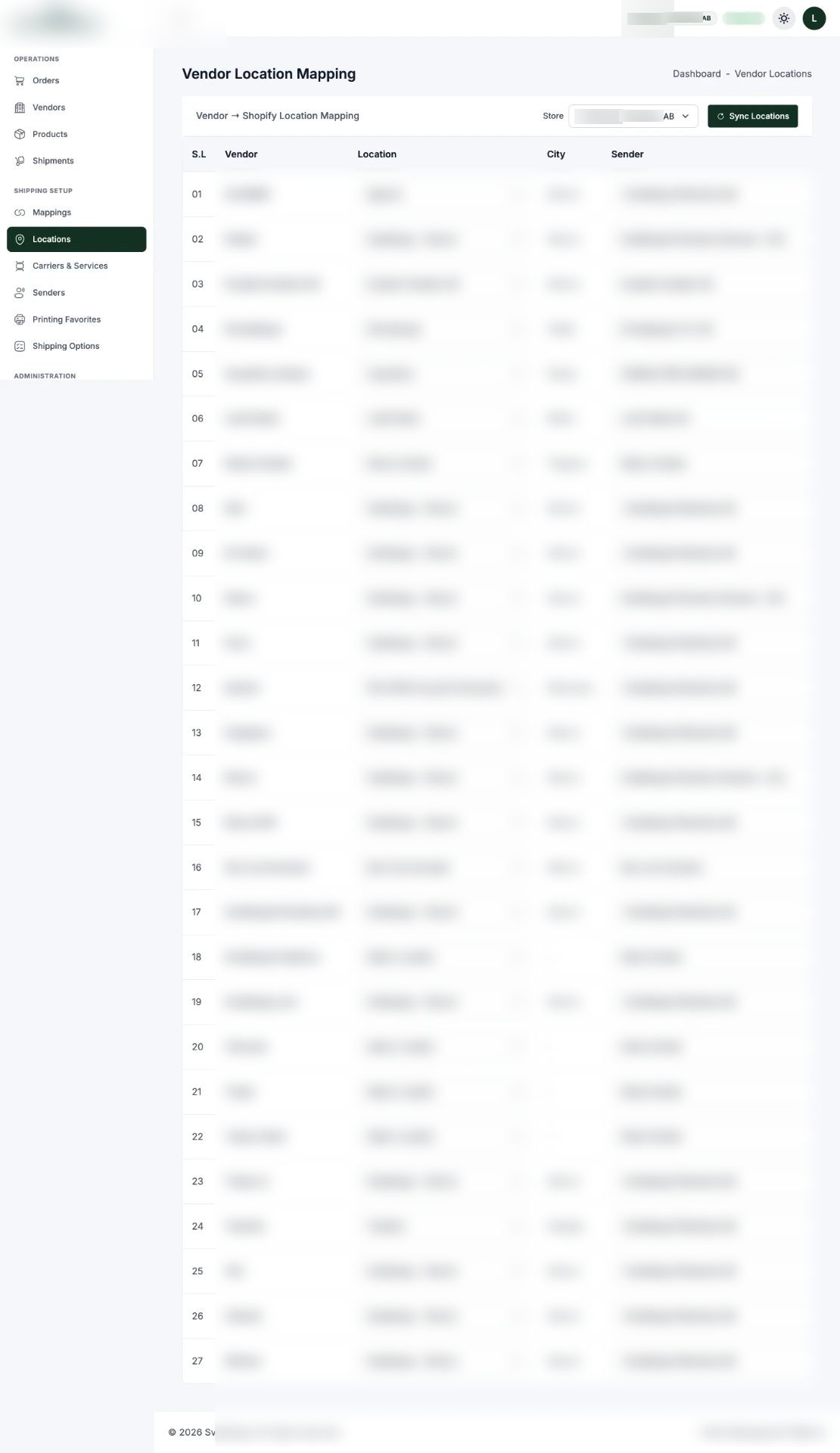
- Vendor management — add, edit and score suppliers, and map each vendor to the locations they serve.
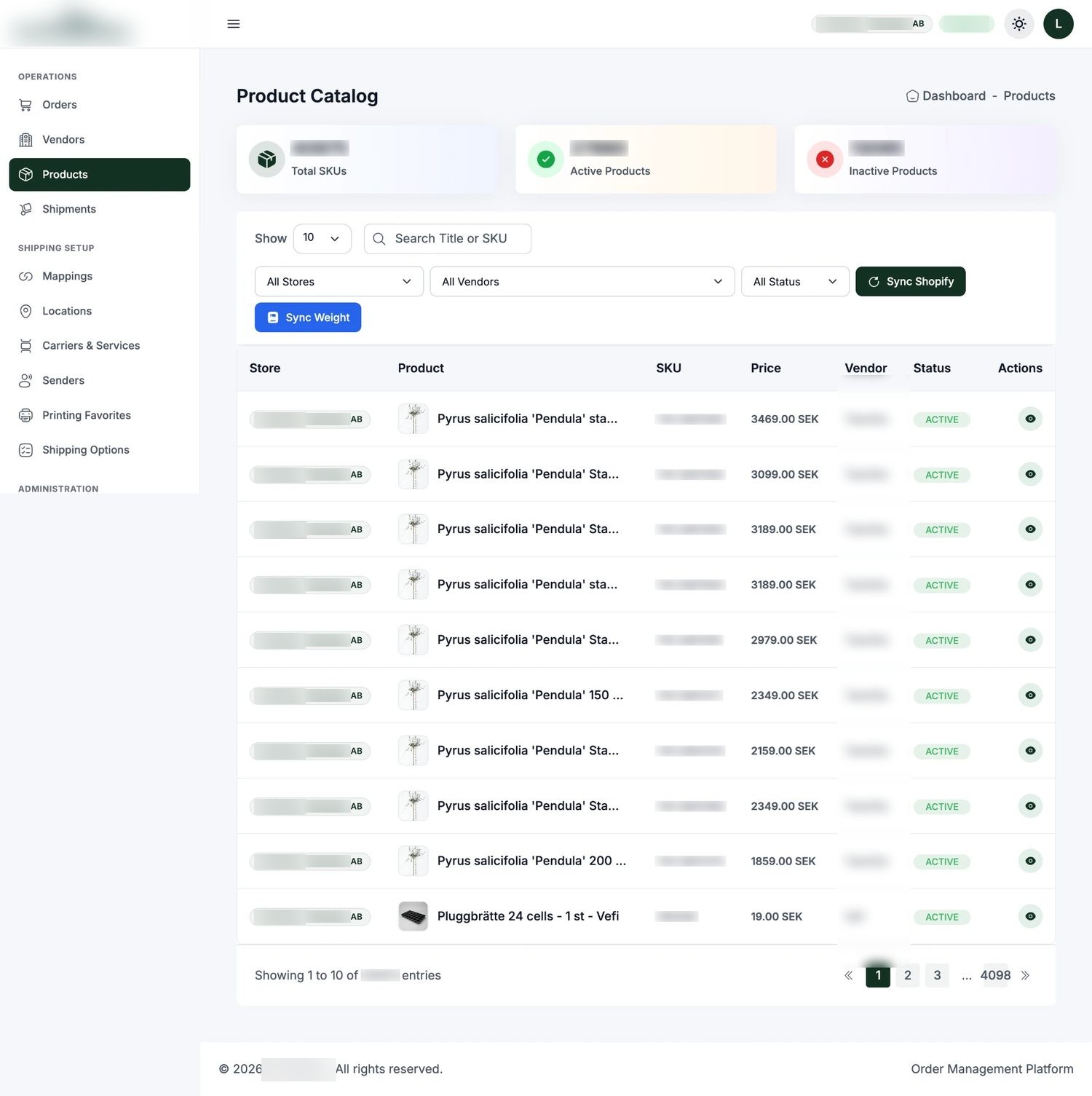
- Product management — catalogue control across vendors, with mapping rules that decide who fulfils what.
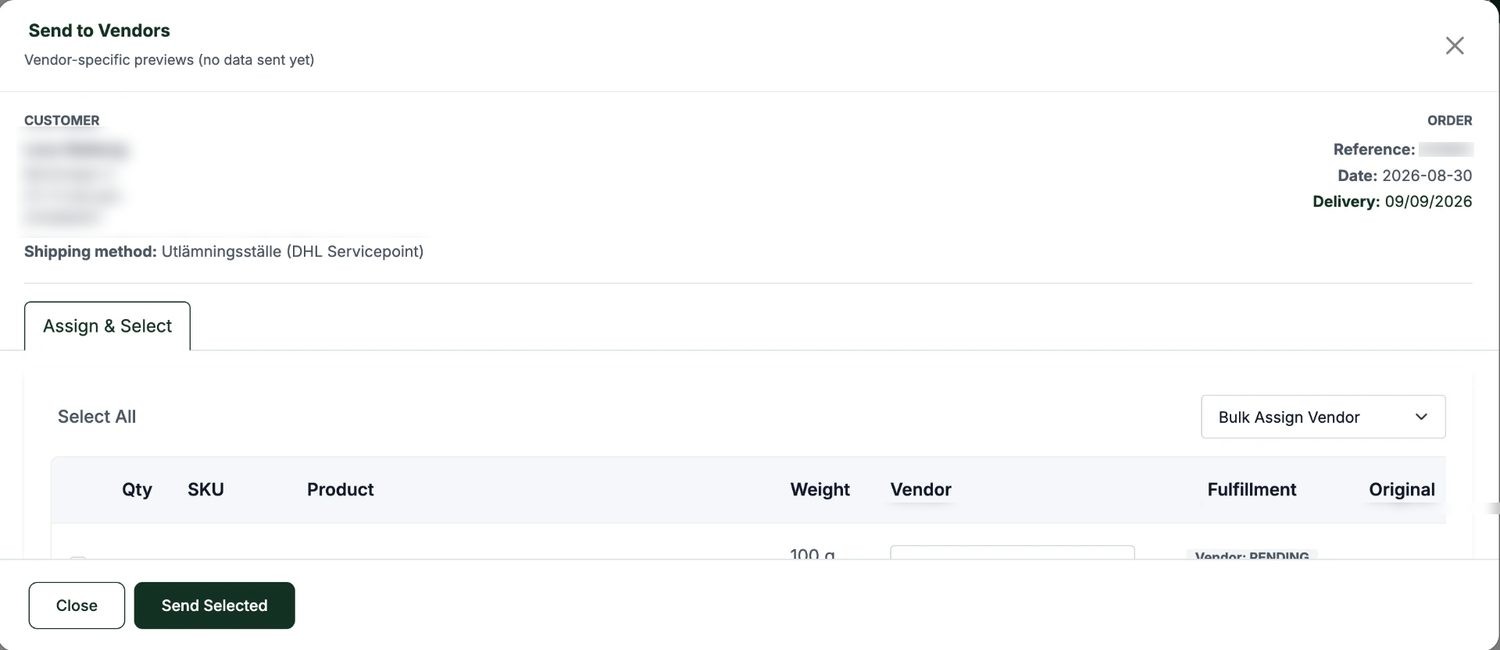
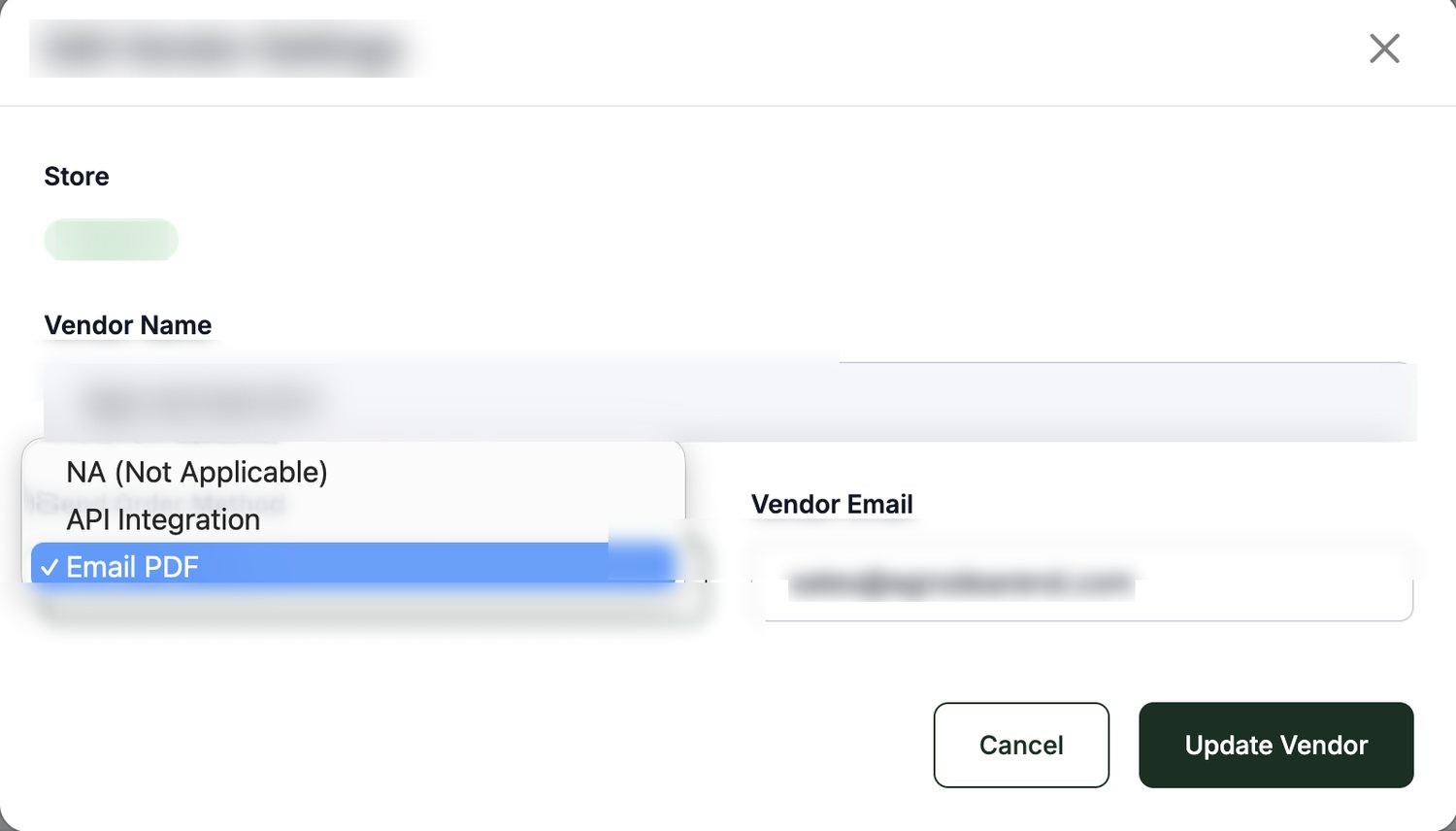
- Order routing — every order is visible with full detail, and can be sent to the assigned vendor by API or as a formatted PDF with an optional note. The vendor can be switched at any point, for example when another supplier gives a better price, and the mapping follows.
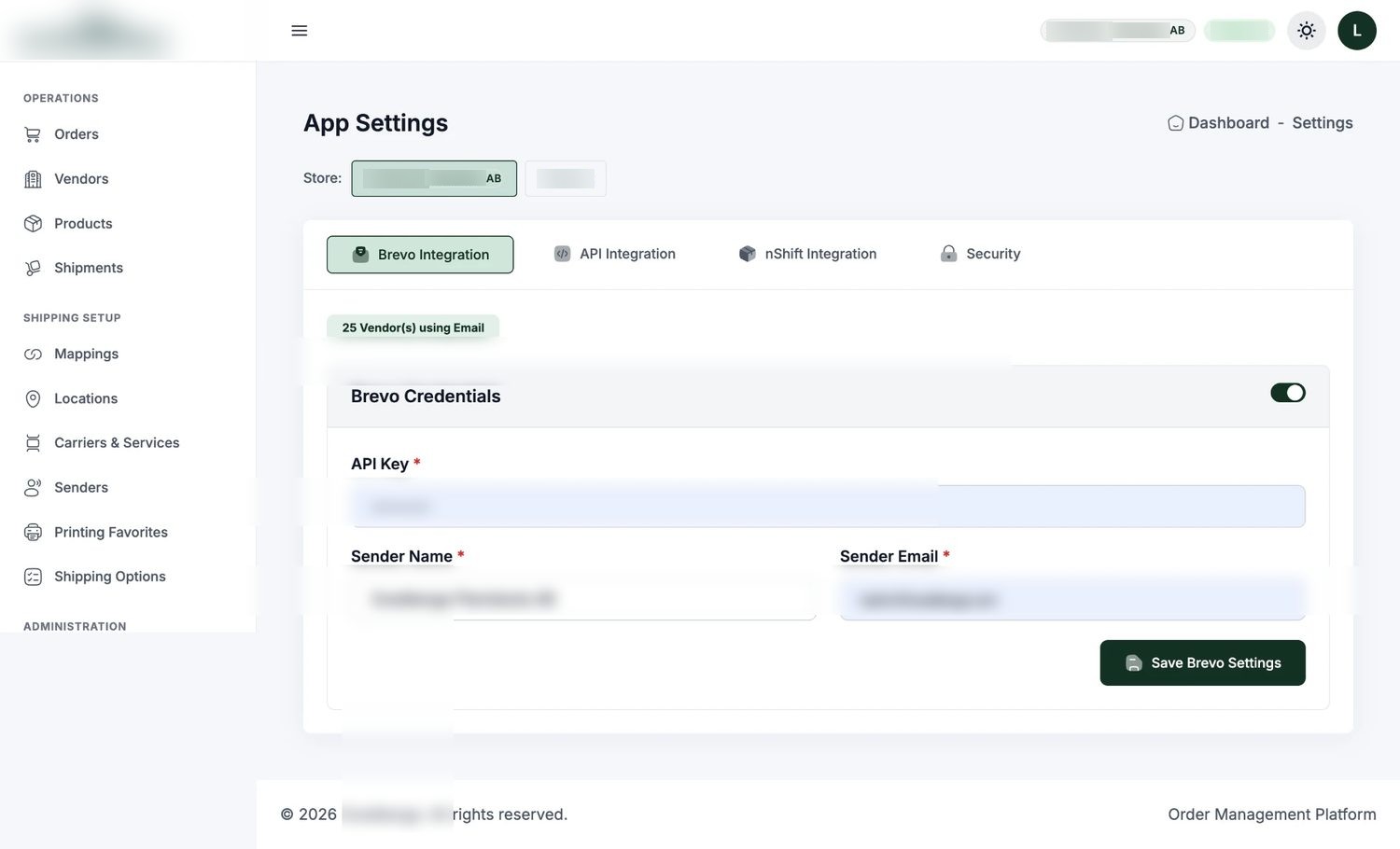
- Delivery method per vendor — API or PDF sending is a switch per supplier, so partners are onboarded at whatever level of integration they can actually support.
- Printing with state — single or bulk order sheets print to PDF, and printed orders change colour so the team can see at a glance what has already been handled.
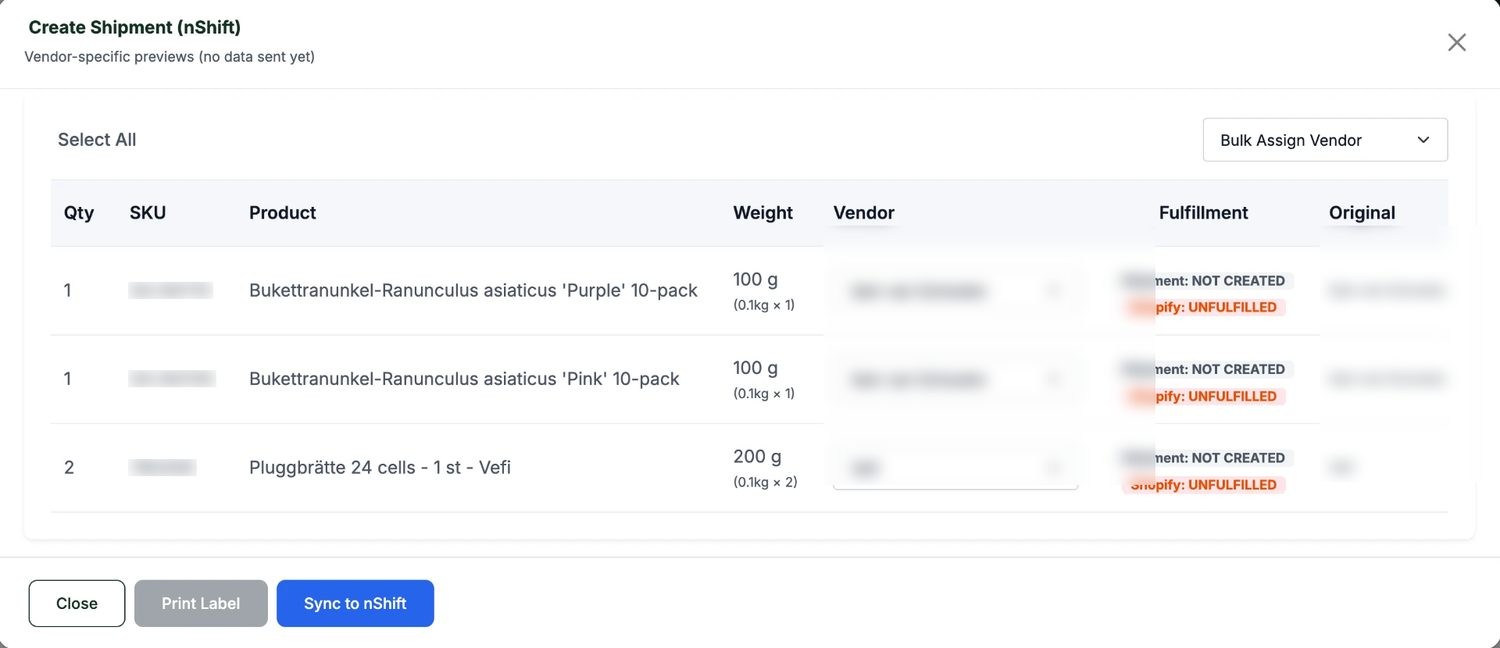
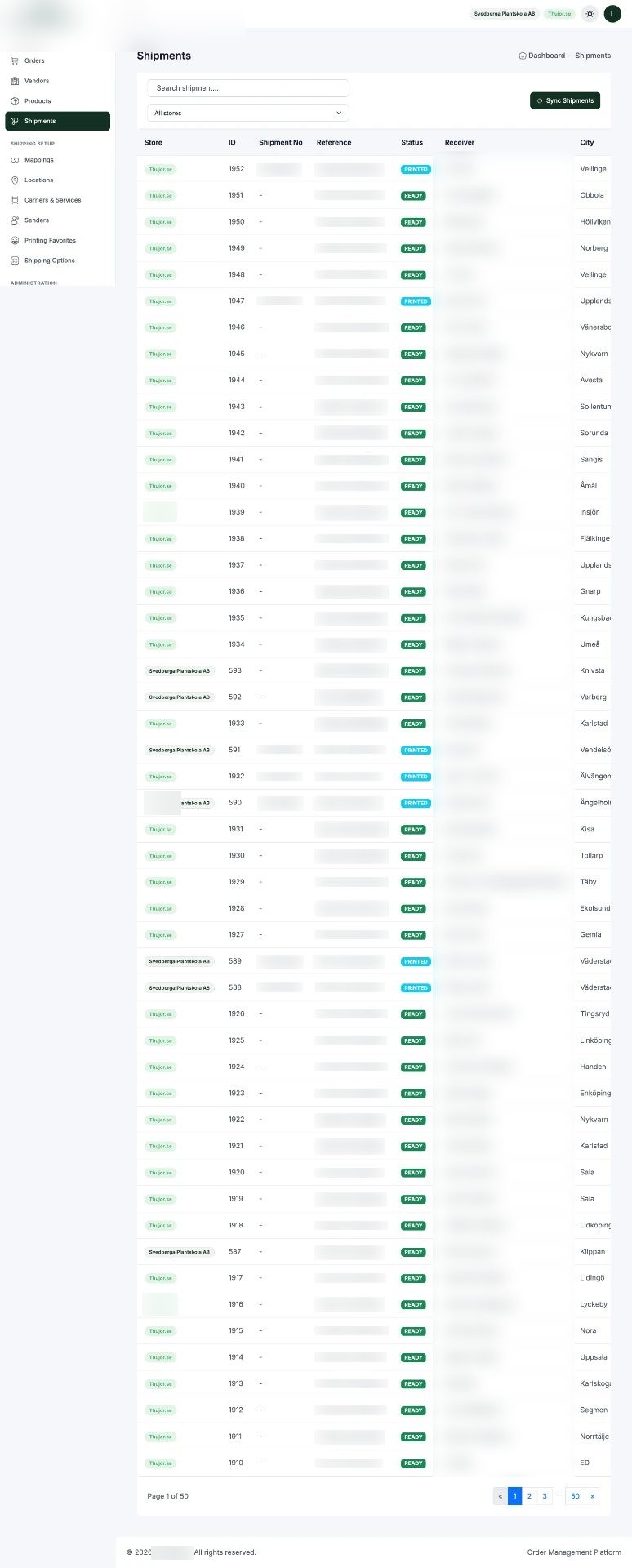
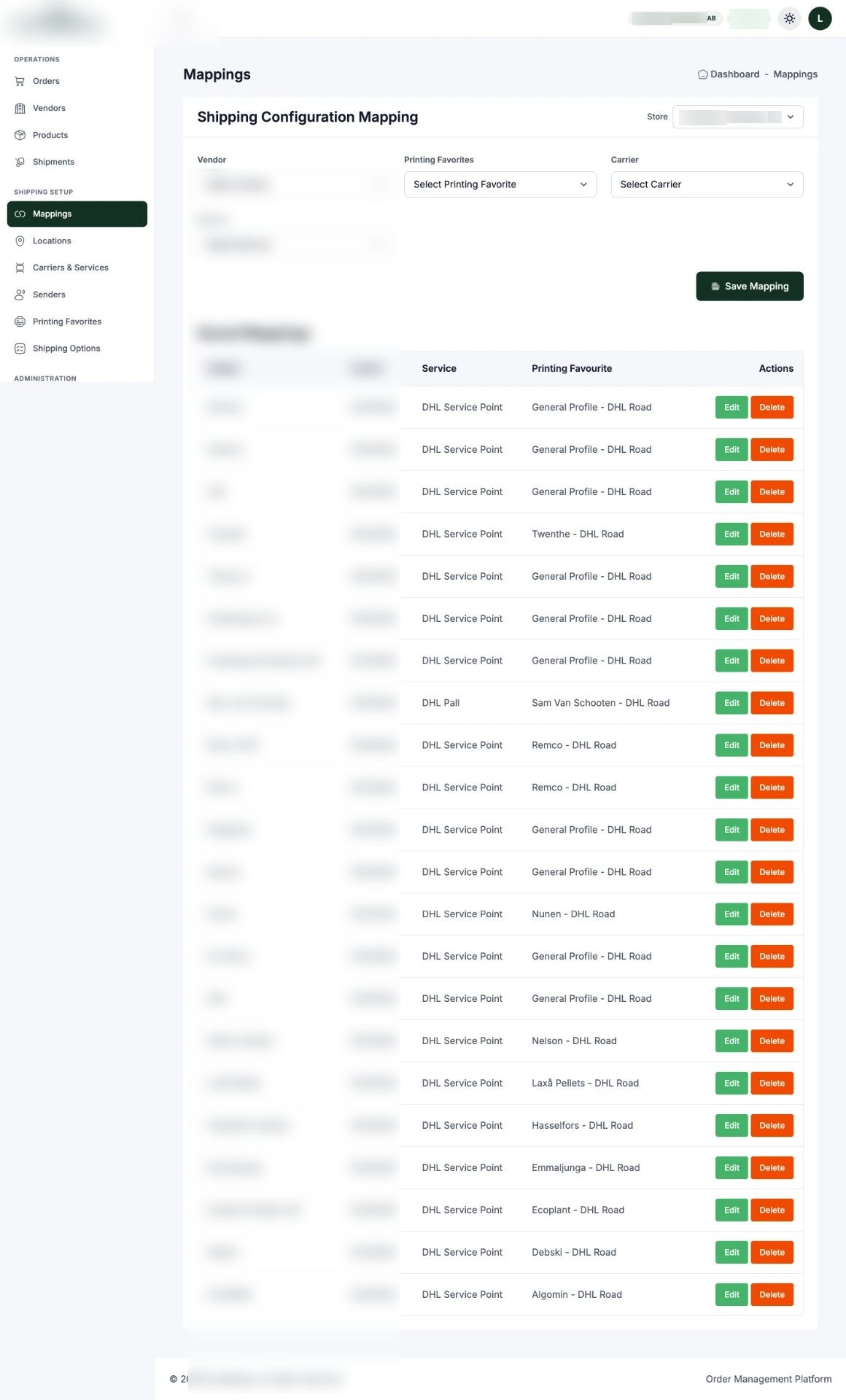
- Shipping via nShift — one click creates the shipment with the right carrier from the nShift network (DHL, DSV, DB Schenker and others), and labels can be printed or downloaded immediately. Carrier and shipping setup is configured inside the app, pulling the options straight from the logistics partner.
- Jump to Shopify — every order links directly through to its Shopify record, so nothing has to be searched for twice.
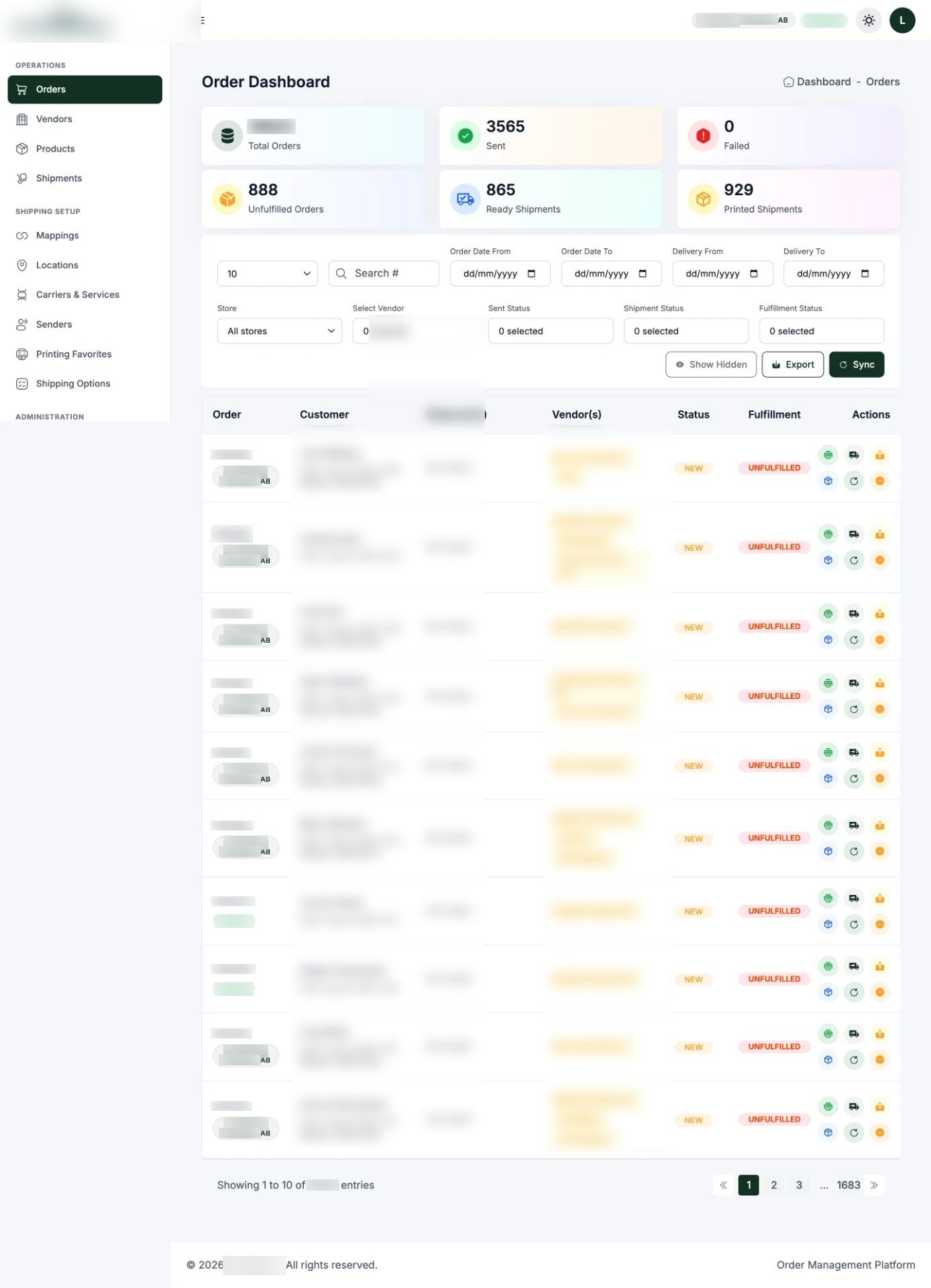
- Filters and multi-store — layered filters for fast sorting, and support for multiple stores connected via app, plugin or direct integration.
- Operations dashboard — order count, sent, failed, unfulfilled, ready to ship and printed shipments in one view.
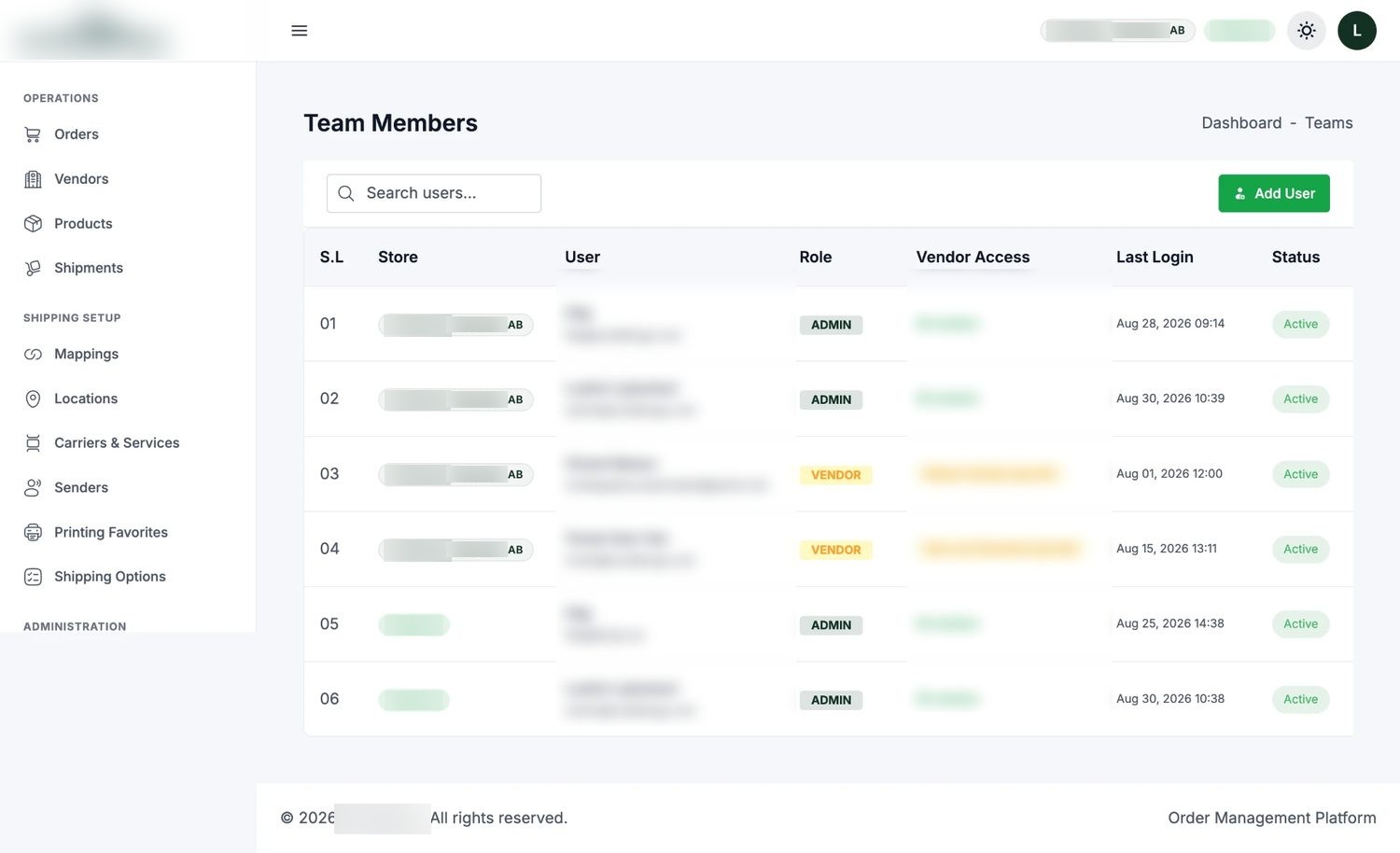
- Role-based access — granular permissions per team member and per vendor, so a supplier sees only their own orders and nothing else.
- Light and dark themes, because the warehouse and the office do not work in the same light.
How the system flows
- 1
Vendors
Each supplier connects by API or PDF. Product data, prices and stock flow into the sync layer.
- 2
Sync layer
Data is segregated per vendor, normalised and pushed to the stores — and back again — so nothing drifts.
- 3
Stores
Shopify storefronts always show the correct price, stock and product detail.
- 4
Pricing intelligence
The monitoring app compares competitor prices, proposes a margin-safe adjustment and waits for admin approval.
- 5
Orders
Incoming orders land in the operations app, routed to the mapped vendor by API or PDF with an optional note.
- 6
Shipping
One click creates the shipment in nShift with the chosen carrier; labels print or download instantly.
- 7
Control
The dashboard reports sent, failed, unfulfilled, ready and printed — with role-based access for team and vendors.
What the platform does
- Vendor management and location mapping
- Product and catalogue management across suppliers
- Competitor price monitoring with approval-gated bulk updates
- Order routing by API or PDF, with vendor switching
- nShift shipping, label printing and carrier setup
- Printed-state tracking on orders
- Direct deep links into Shopify
- Multi-store support and layered filtering
- Operations dashboard with live counts
- Role-based access for team and vendors
- Light and dark theme
Inside the platform
Live screens from the client's system. Customer, vendor and account data is blurred for privacy.
The result
Svedberga now runs a multi-vendor catalogue and a multi-carrier shipping operation from one screen, with vendor data in sync and pricing decisions made deliberately instead of manually. The partnership continues today across brand maintenance, strategic development and ongoing platform work.
Have a similar problem?
Tell us where your business should be next year and we'll come back within 24 hours.
Start a project